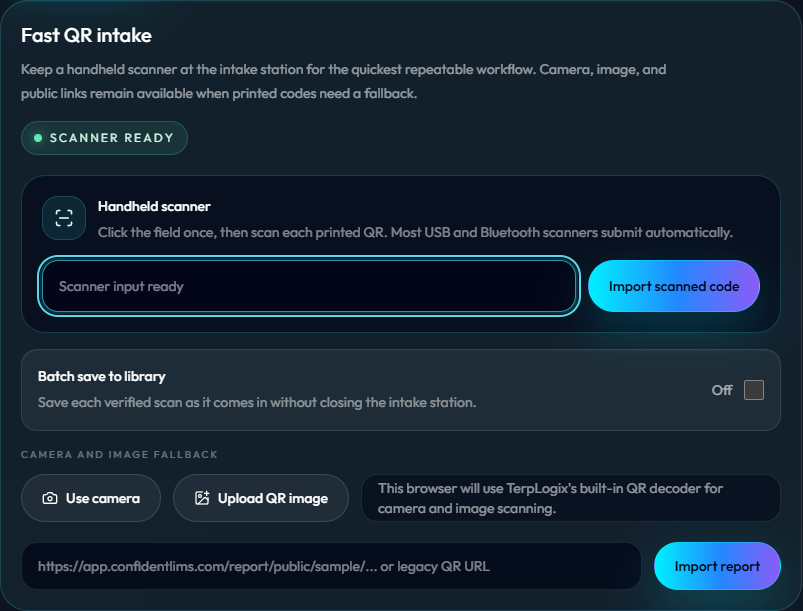
Scan instead of typing
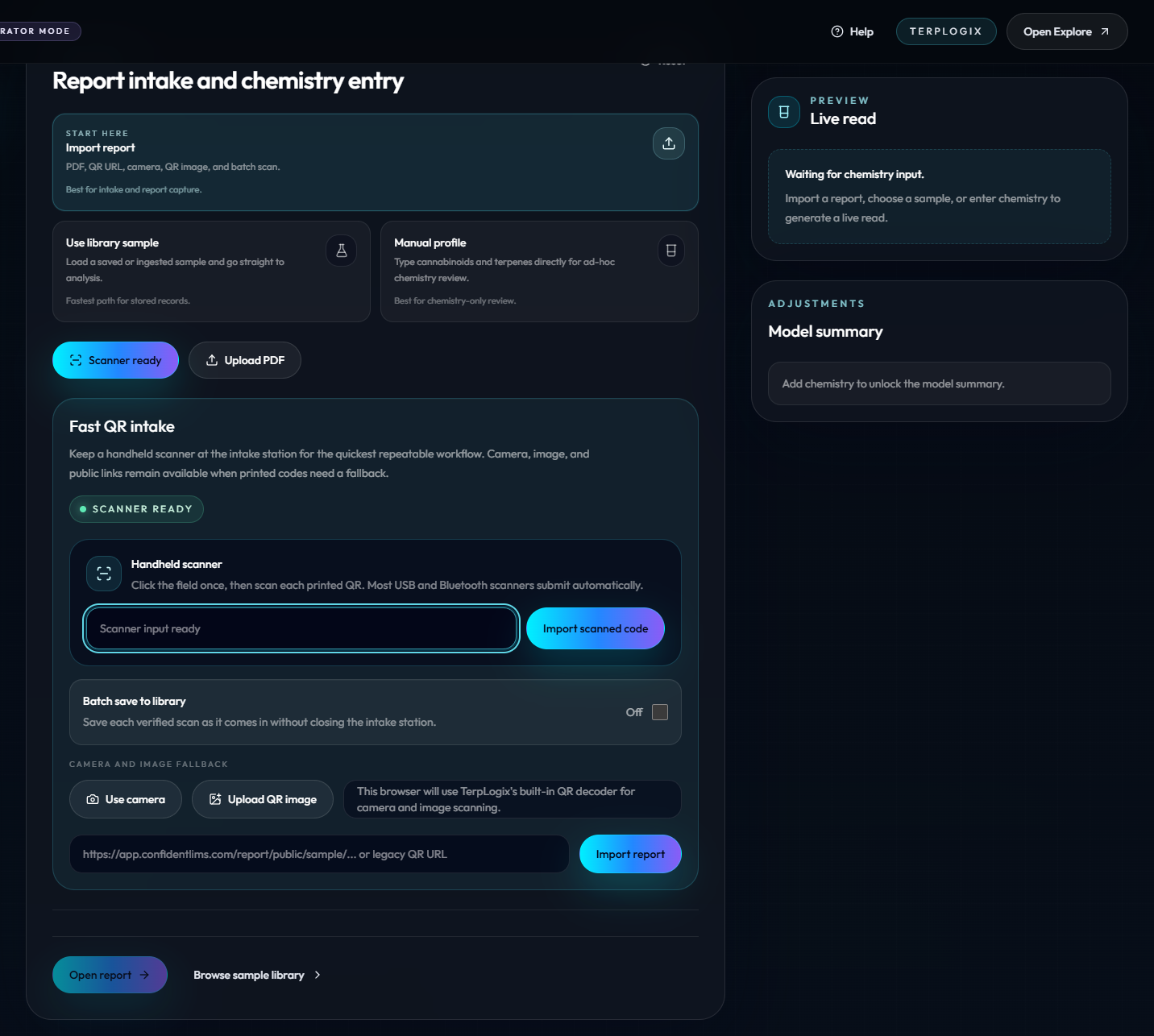
Use a handheld scanner, camera, phone, or PDF upload to capture the lab report.

TerpLogix is the intelligence layer to your dispensary. Scan a COA or upload the report, and it turns product details into clear guidance for customers and staff.
It connects to your POS, shows only what is available, and keeps quantity, price, and every connected view current.
Scan instead of typing
Use a handheld scanner, camera, phone, or PDF upload to capture the lab report.
Faster customer service
Give staff the shopper's goal and product picks before they meet at the counter.
Live inventory everywhere
Show current availability, quantity, and price from your POS on every customer view.
See what shoppers want
Learn what customers searched, compared, and saved, even when they did not buy.
TerpLogix is the intelligence layer to your dispensary. Scan a COA or upload the report, and it turns product details into clear guidance for customers and staff.
It connects to your POS, shows only what is available, and keeps quantity, price, and every connected view current.



Scan instead of typing
Use a handheld scanner, camera, phone, or PDF upload to capture the lab report.
Faster customer service
Give staff the shopper's goal and product picks before they meet at the counter.
Live inventory everywhere
Show current availability, quantity, and price from your POS on every customer view.
See what shoppers want
Learn what customers searched, compared, and saved, even when they did not buy.
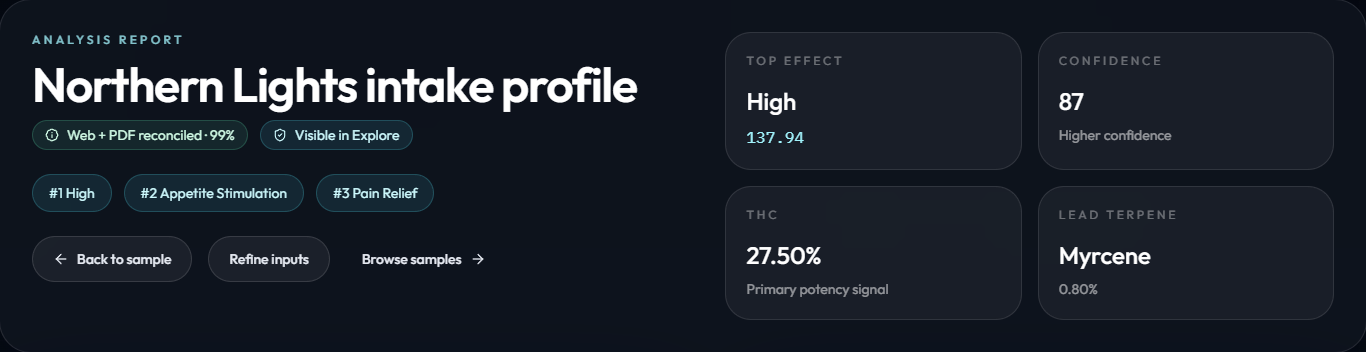
TerpLogix captures the COA, builds a clear product profile, connects it to live POS inventory, and keeps every customer and staff view up to date.
One connected system

The result: less data entry, no stale product listings, and every connected view showing the same live information.
Built to help your team without adding another job.
The preferred method is a quick COA QR scan with a handheld scanner. Your team can also use a camera or phone, upload a PDF, or enter details manually when needed.
Capture products quickly
Scan the COA QR code or upload the lab report.
Show only what is available
Live POS inventory controls which products customers can see.
Keep every view current
Availability, quantity, and price update across the store.
See customer demand
Learn what people search, save, compare, and leave behind.
Built to work in the background
Scan once. Keep the store informed.
Use a handheld scanner first, or a camera, phone, PDF, or manual entry when needed.
Only show what can be sold
Live POS inventory controls what customers see.
Keep every view current
Availability, quantity, and price update across the store.
See customer demand
Learn what people search, save, compare, and leave behind.
Once the lab report is captured, TerpLogix builds the profile and links it to your POS. Product information stays useful, current, and ready wherever it is needed.
Scan, upload, or use a camera
A handheld QR scanner is fastest, with phone, PDF, and manual entry available when needed.
Only show what can be sold
Availability, quantity, and price stay synchronized with the POS in real time.
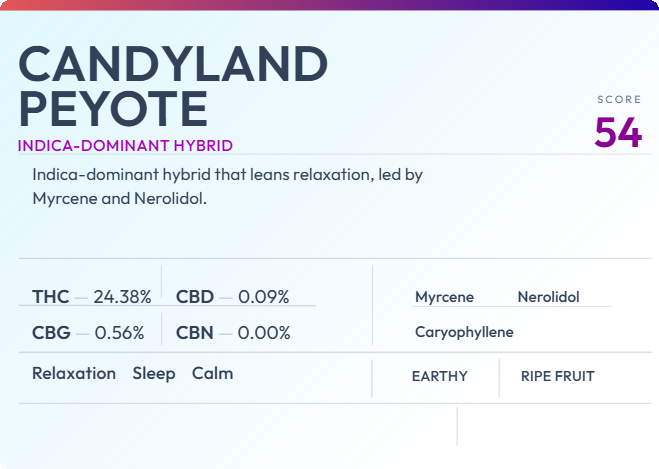
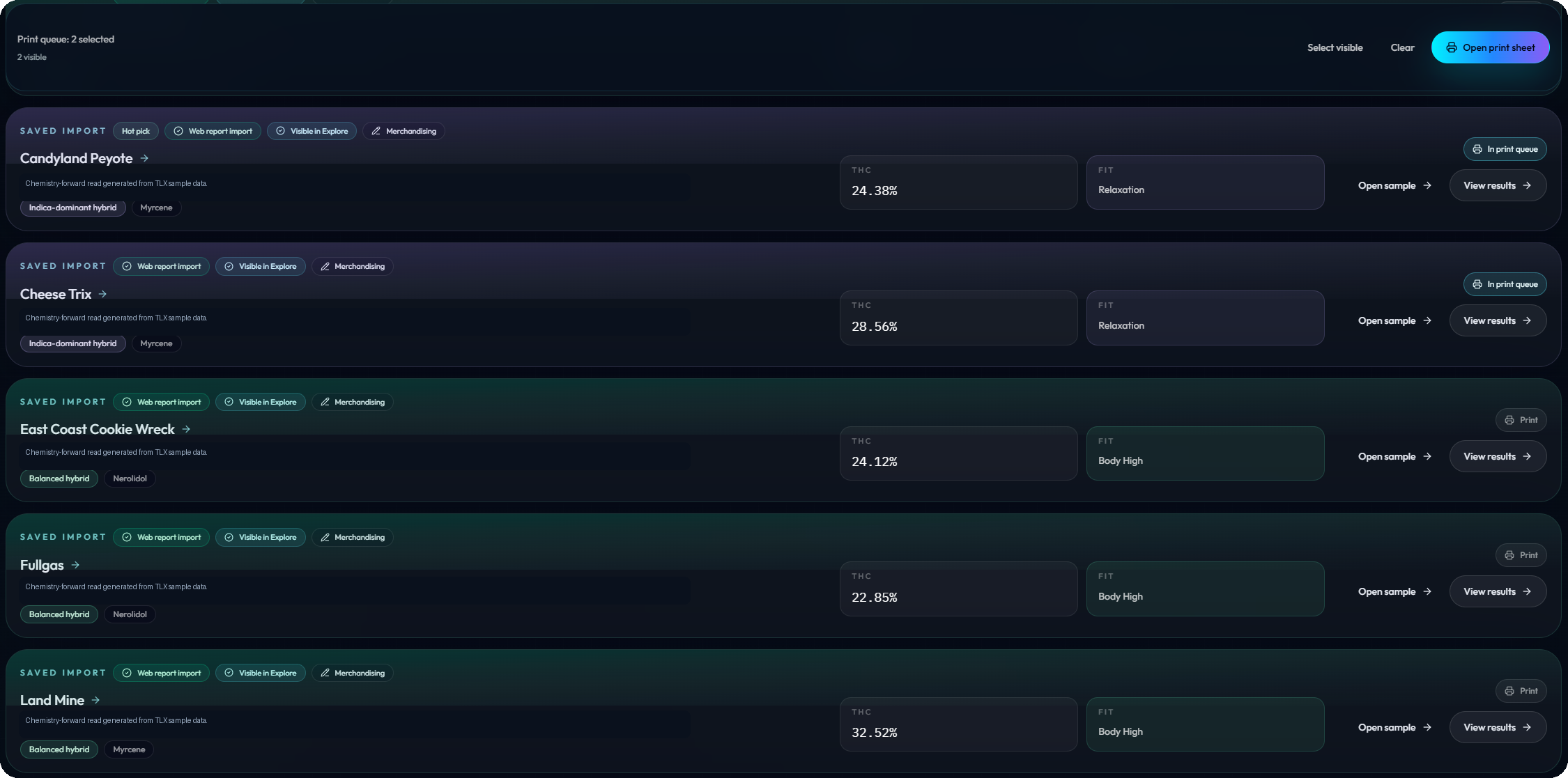
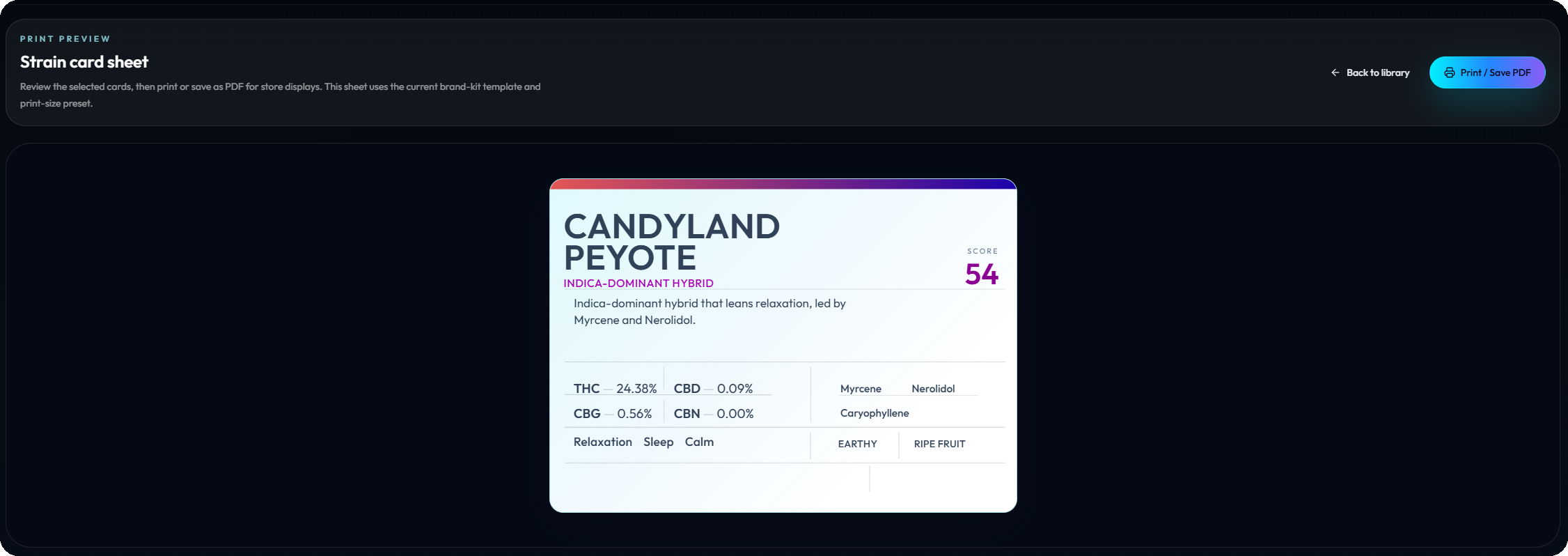
Create printable cards without rewriting product details. Help shoppers narrow the menu and send their picks to staff. Every surface starts with the same current information.
From product list to print
Choose the products you want, add them to the print list, and create a polished card sheet without writing everything again.
Customer kiosk
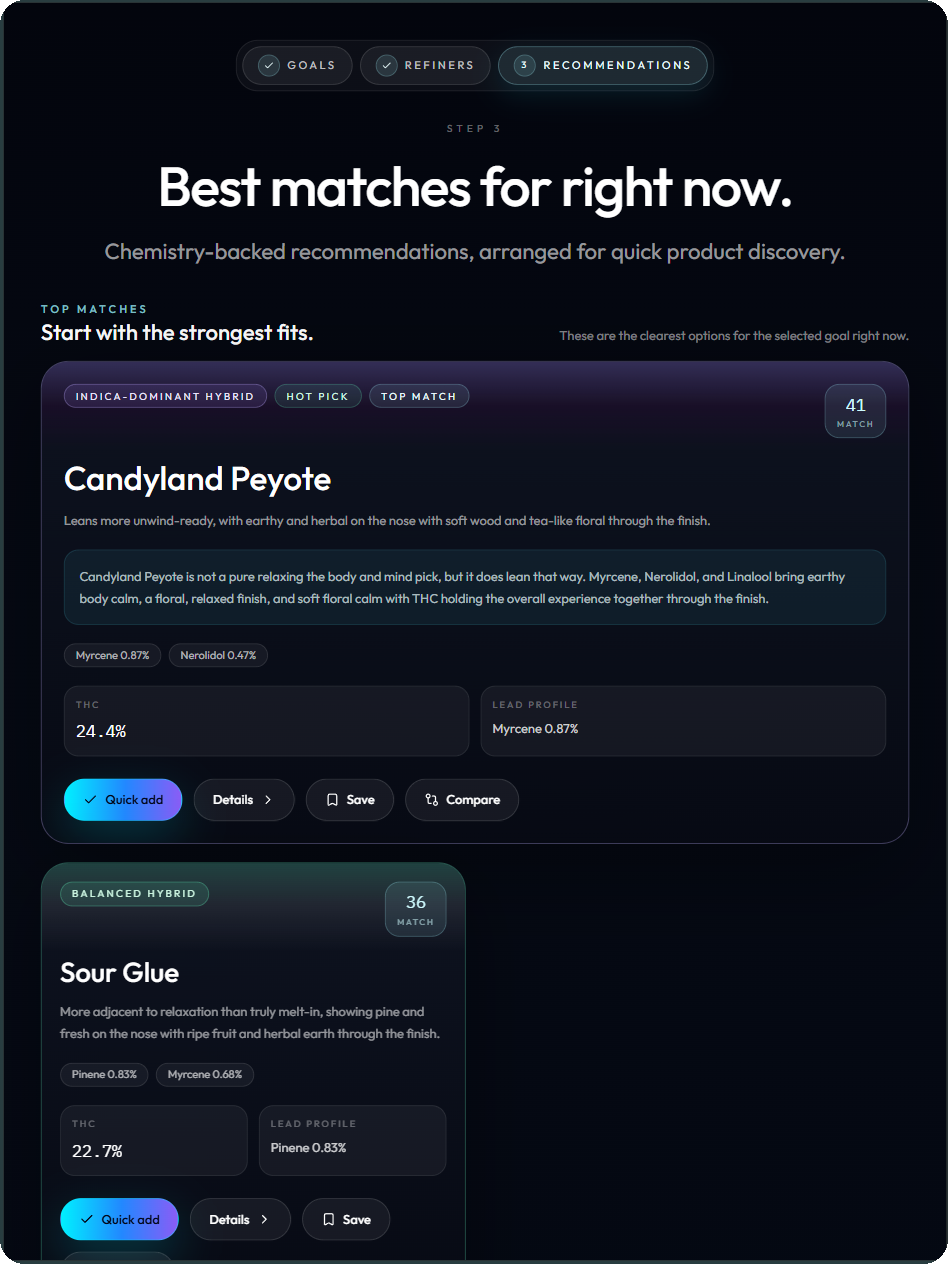
Customers choose what they are looking for, answer a few simple questions, and see products that may fit their needs.
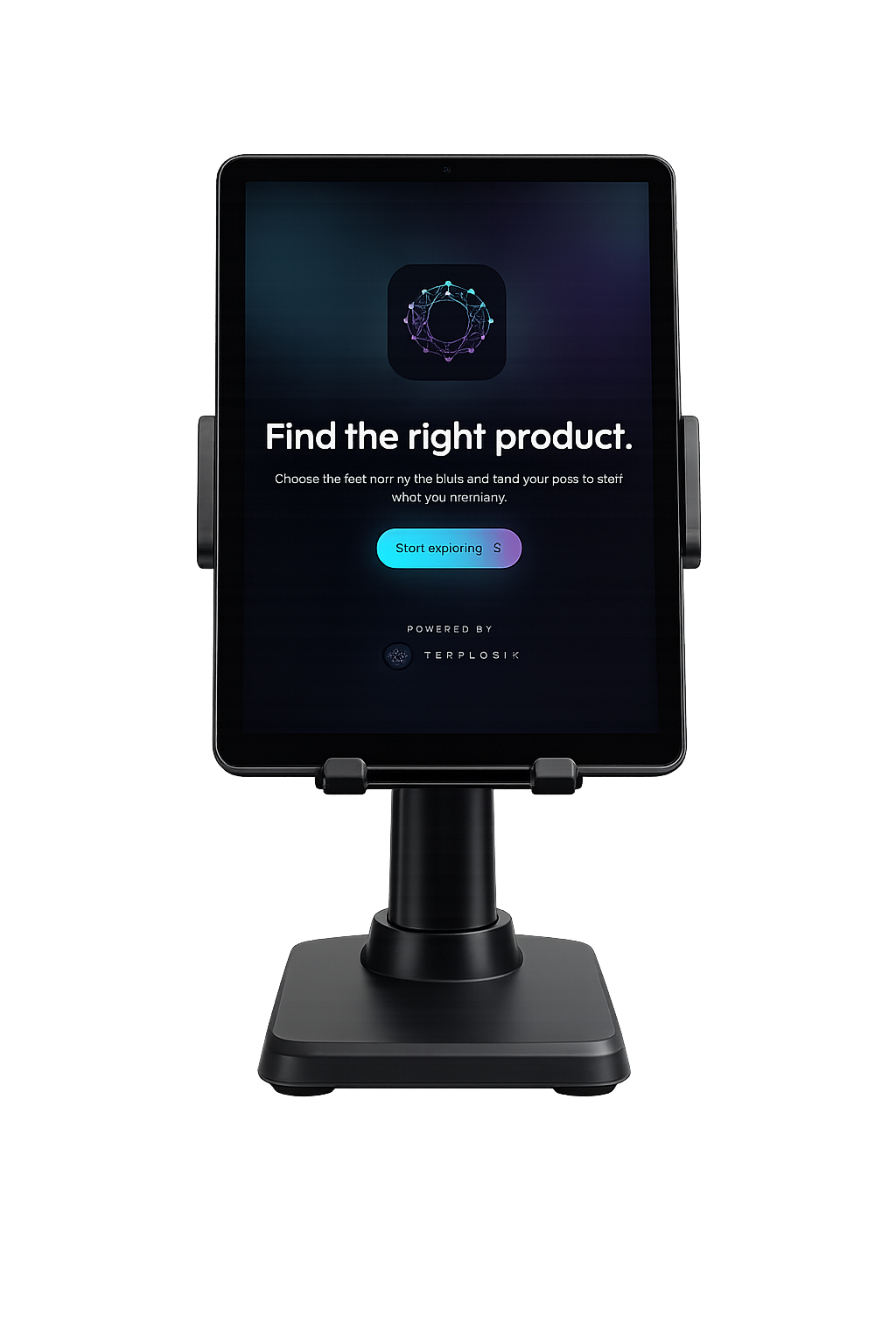
In-store kiosk
Simple product finder
Ready for staff
The shopper's goal and product picks arrive at the counter.
The conversation continues
Staff can see the shopper's answers and product shortlist.
Managers learn what customers want
The journey reveals interest that may not appear in sales reports.
TerpLogix gives your dispensary an intelligence layer that makes product information useful to customers, staff, and managers.


Automatic product setup, better service, and live store materials.
Several TerpLogix tools work together behind the scenes so your team can scan products, serve customers, and trust that every connected view is current.
Area 1
Automatic product setup
Area 2
Better shopping and service
Area 3
Live store materials
What improves
Works in the background
Bring product details together
Scan or upload a lab report and TerpLogix builds the product profile, then connects it to live inventory and pricing from your POS.
What this means for the store
Almost no manual entry
Only available products are shown
What improves
An extra hand for staff
Guide shoppers and prepare staff
Explore, Discover, and Serve Queue help customers narrow their choices, then give staff the context they need to continue the conversation.
What this means for the store
Customers get useful recommendations
Shoppers can save a shortlist
Your data stays alive and working: helping shoppers choose, giving staff context, keeping materials current, and showing managers what customers want.
COA
Cortex
Rosetta
Explore
Queue
Menus
Analytics
Customers get help narrowing the menu. Staff receive the shopper's goal and shortlist, so they can continue the conversation instead of starting over.
Explore kiosk
Guided customer discovery
Handoff ready
Intent and shortlist move to staff.
Serve Queue
The customer story, ready for staff.
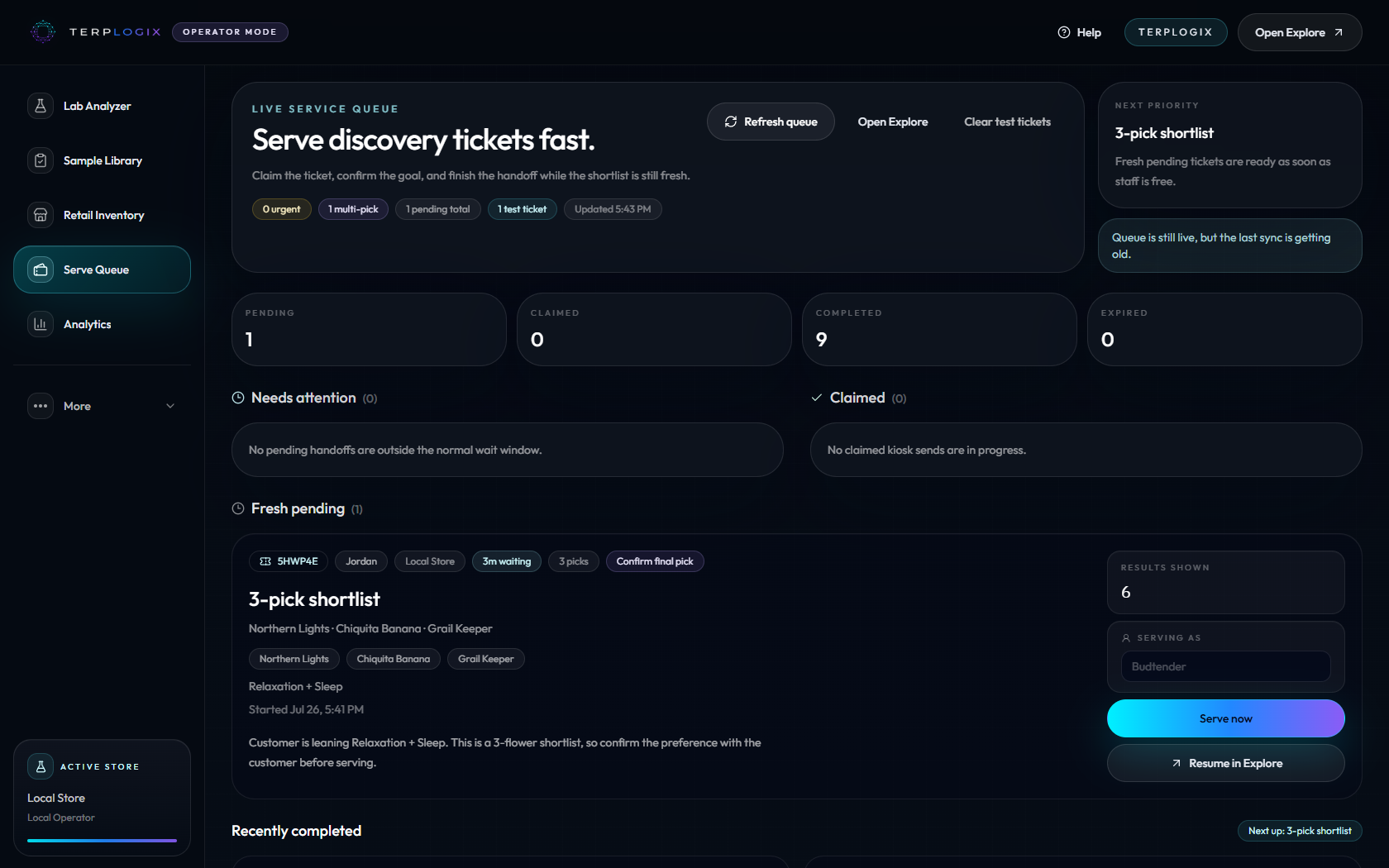
Live staff view
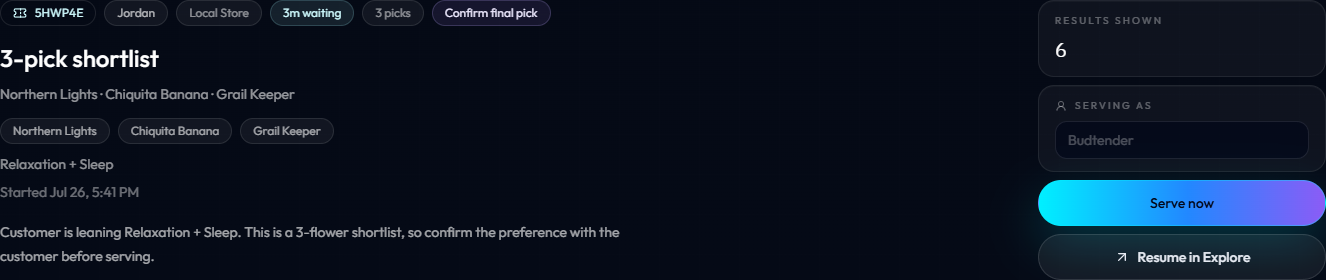
Goal
What the shopper wants
Shortlist
Products already explored
Fit note
Why the picks make sense
Shoppers answer simple questions instead of trying to make sense of a long menu on their own.
Choose what they want
Compare helpful matches
Send their picks to staff
Staff can see what the customer wants and which products they already considered before the conversation begins.
See the shopper's goal
Review product picks
Recommend with confidence
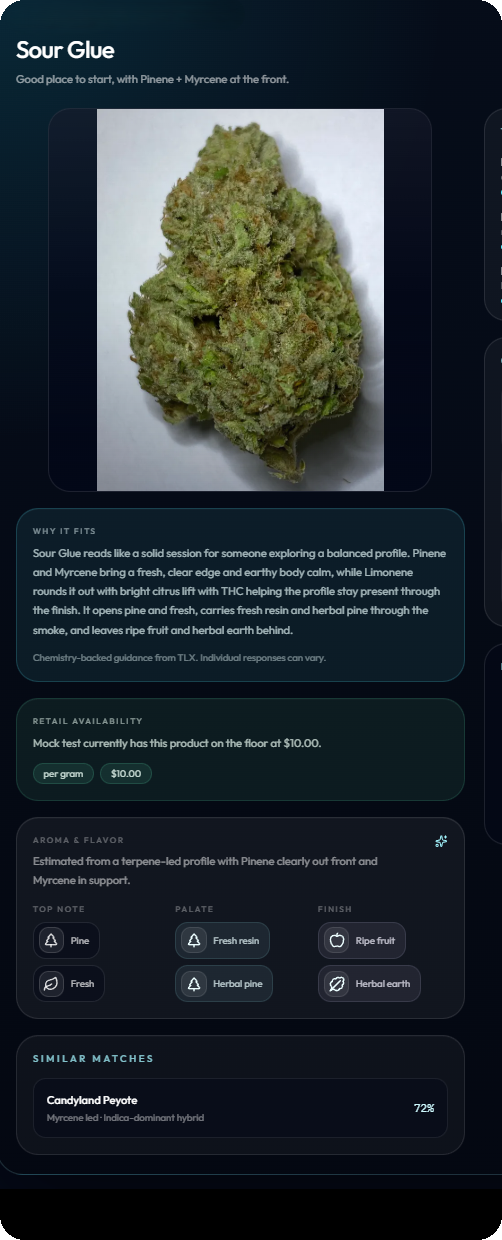
TerpLogix synchronizes availability, quantity, and price across kiosks, mobile pages, menus, signs, and staff views using live POS data.
Only show products your store can sell right now.
TerpLogix checks live inventory before showing a product. When availability, quantity, or price changes in your POS, every connected customer and staff view stays current.
Your store brand
Logo, colors, and type
Customer screens
Kiosk, mobile browsing, and QR links
Live product details
Availability, quantity, and price from the POS
Every location
Consistent branding and current inventory across stores
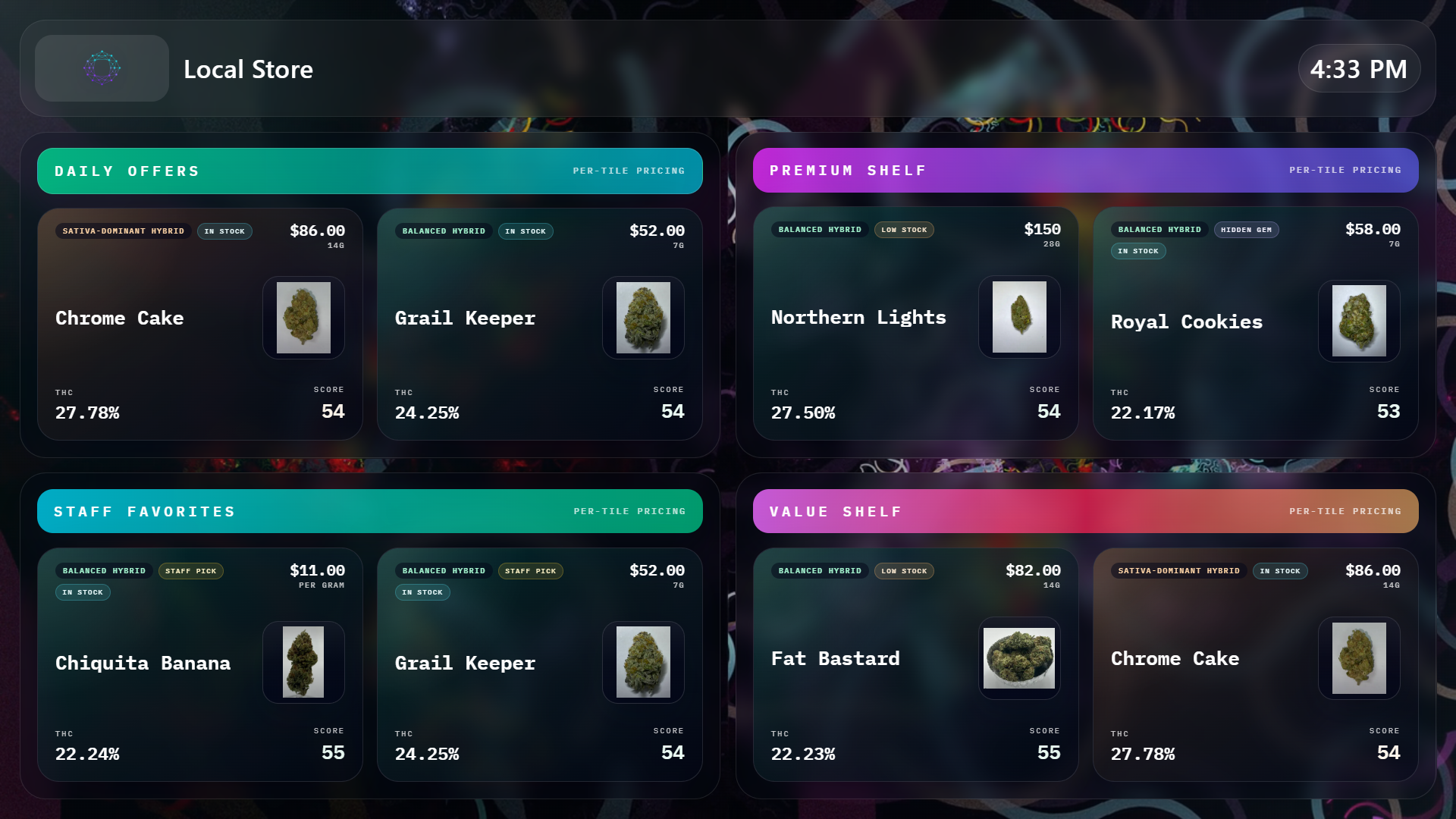
Digital menu
Live retail board
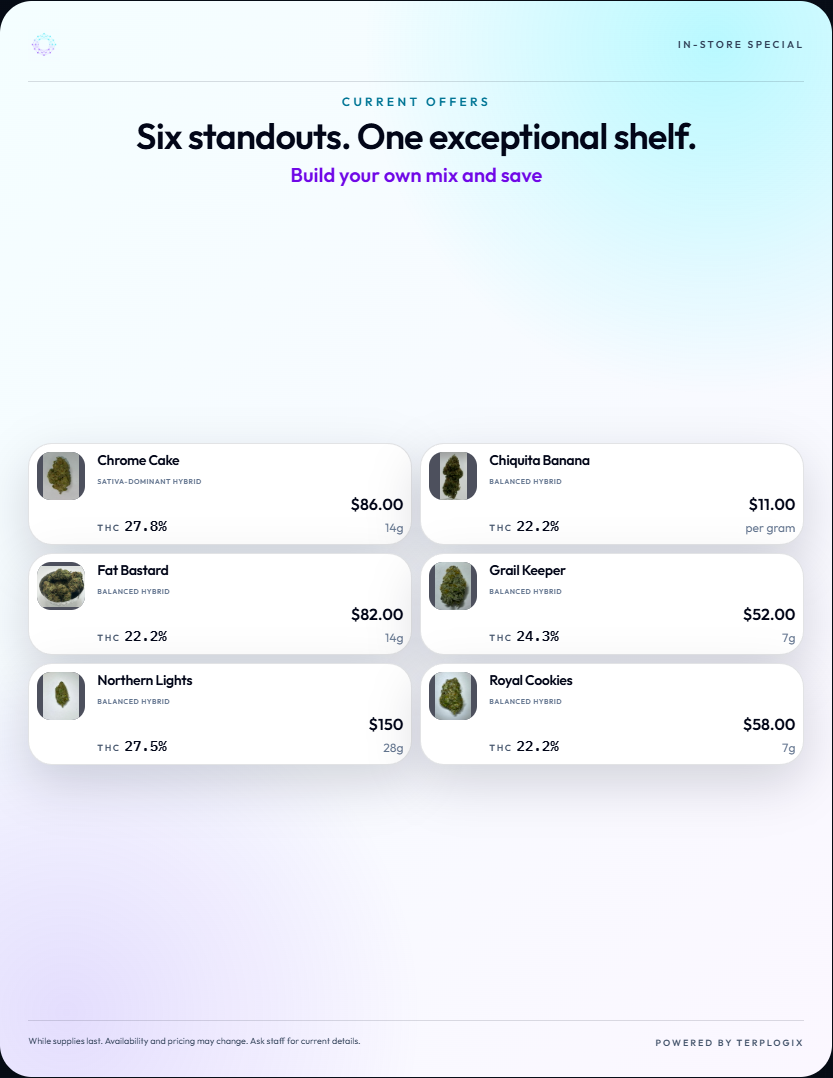
Print and in-store campaigns
The same catalog becomes a clean, brand-controlled retail asset.
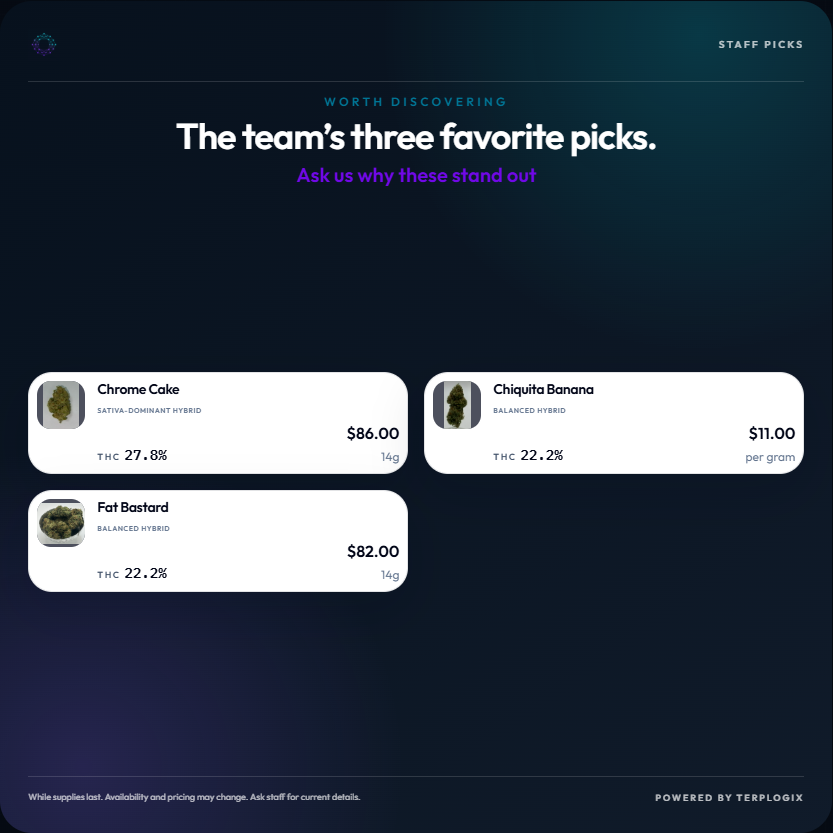 Social square
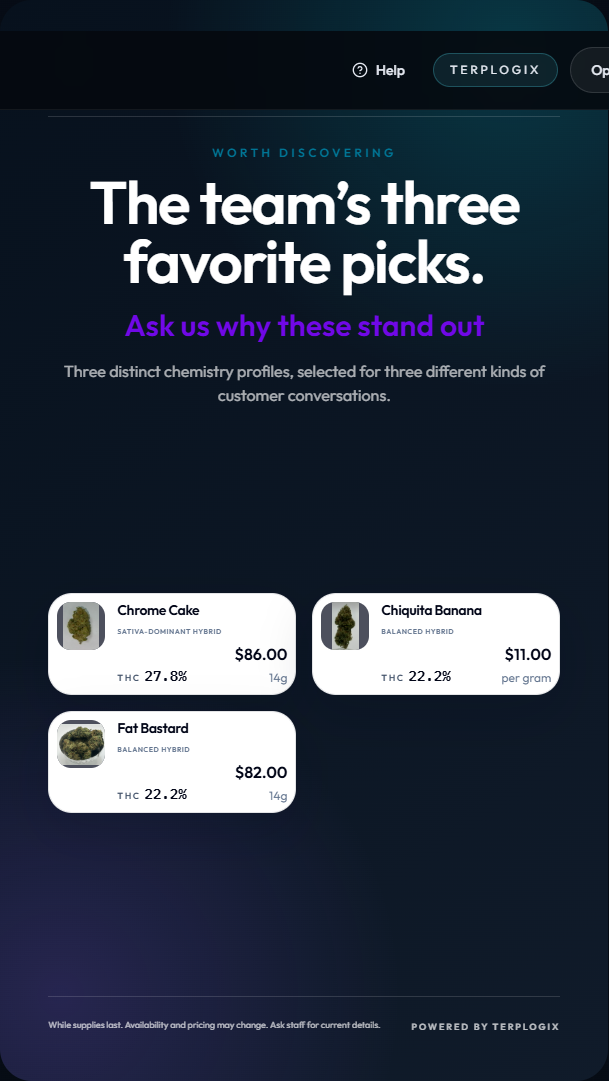 Story format
Sales reports show completed purchases. TerpLogix also shows what shoppers searched for, compared, saved, and left behind.
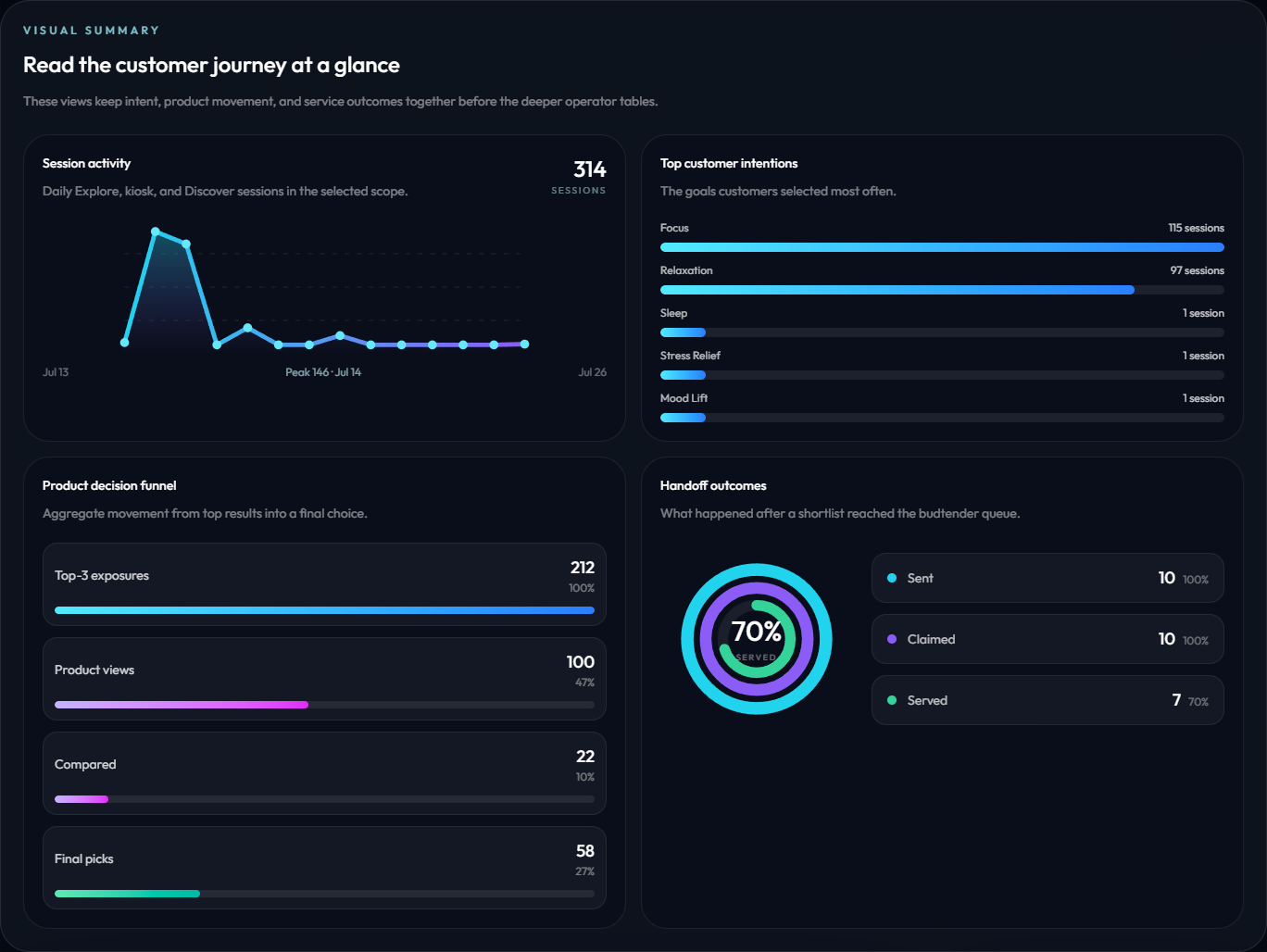
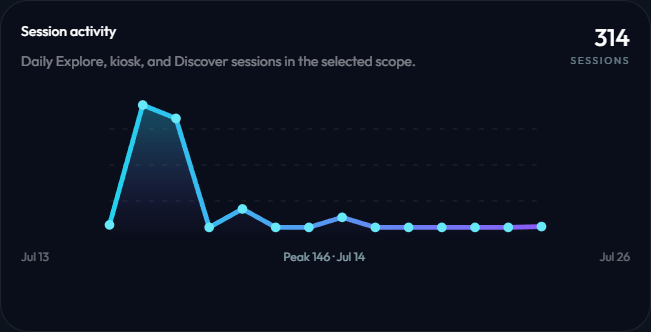
Session activity
See when interest rises
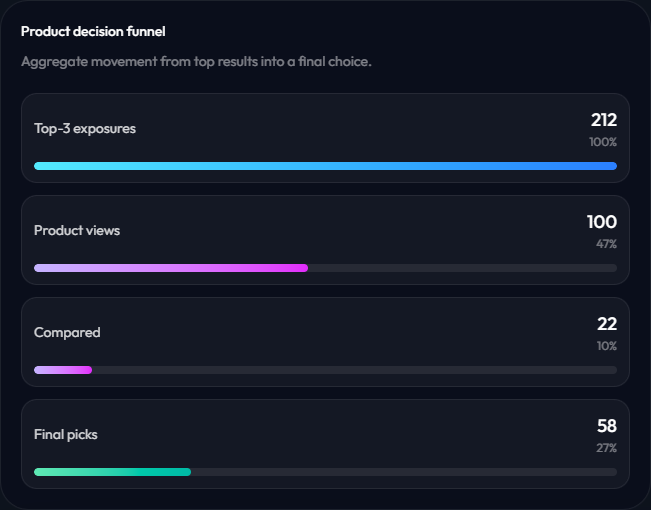
Shopping journey
See which products became final picks
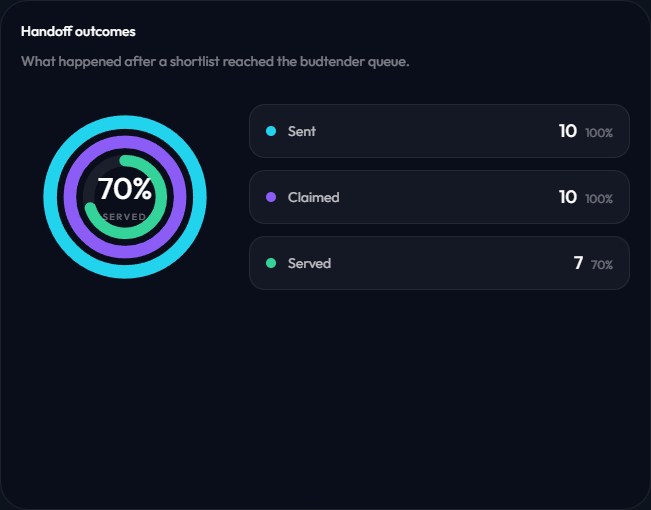
Staff follow-through
See which requests were picked up and served
Sales reports show what sold. TerpLogix shows what people were trying to find.
See customer interest before a sale happens: what people wanted, which products they compared, what they saved, and where they stopped.
POS report
Sold
Useful after purchase, but it cannot explain what customers looked for and did not find.
Customer interest
Wanted
Useful for purchasing, merchandising, and staff training.
What managers can do
Stock smarter, improve displays, and train staff around real customer needs.
TerpLogix reads the lab report, connects the product to your POS, and automatically keeps availability, quantity, and price current.
Your team should not spend the day entering and correcting information.
Scan the COA, match the product to your live inventory, and let TerpLogix carry the current information into recommendations, menus, signs, kiosks, and staff tools.
Automatic connection
Customers only see products that are currently available at the active store.
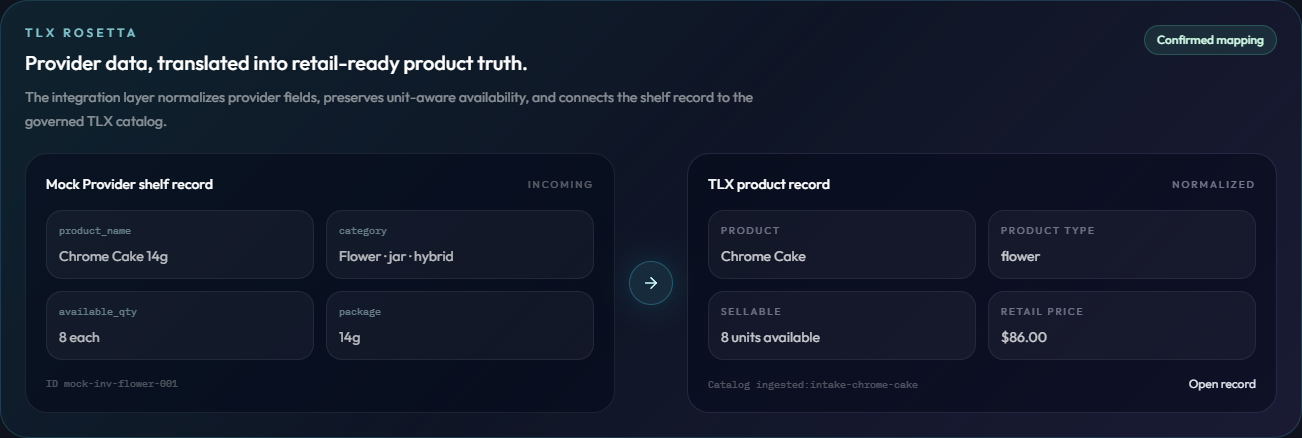
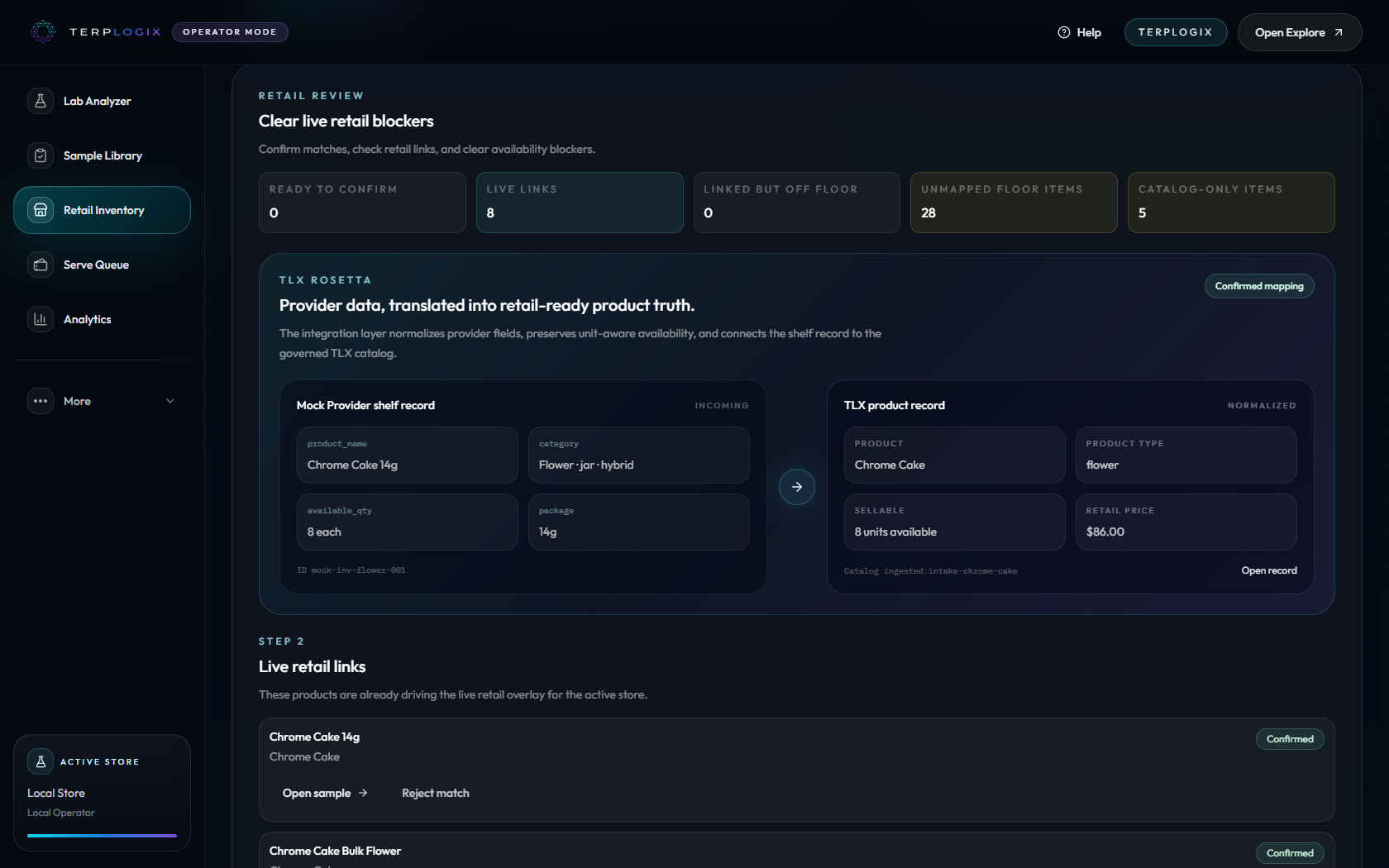
Live availability, quantity, and price from the POS
Capture the COA
Scan the QR code or use camera, phone, PDF, or manual entry.
Sync the active store
Keep location, availability, quantity, and price attached.
Update every connected view
Feed recommendations, staff service, menus, signs, and reports.
See a COA become a live product, watch POS inventory update every connected view, and follow the product through customer guidance, staff service, and manager reporting.
What we will show you
Store journey
From product details to customer service.
Products
Shopping
Staff
Insights
A focused walkthrough for your store.
See automatic product intake, live inventory, customer guidance, staff service, and manager reports working together.